
Chrome extension
Your browser, finally in one place
Browser Assistant is the Chrome extension we built when tab managers, to-do apps and price trackers each wanted an account. It lives beside the page, stores everything on your computer, and looks like Chrome itself.
A product we needed before we sold it
Most of the studio's day is spent in Chrome: research, client sites, documentation, shopping for hardware, a YouTube talk playing in the background. The extensions that promised to tame that either synced it all to a cloud we did not want, or did one job well and left the rest scattered.
Browser Assistant is the thing we wrote instead. Tabs nest in tagged folders you can drop a link onto. Named workspaces reopen a whole set in one click. Tasks remember the page they came from. A wishlist watches a price and tells you when it drops. Insights show where the week actually went — paused when you are idle.
Nothing of that leaves the machine, except the product pages you asked the wishlist to check. Chrome cannot write files itself, so a small Node native-messaging host writes JSON to Documents/BrowserAssistant. No analytics, no account, no sync.
What it actually does
The same toolkit we use on our own machines. Each card opens the live product.
Nested tab folders
Unlimited folders with tags and search. Drop a link from any page onto a folder. The open list shows idle age and estimated memory, and hibernates the rest in one click.
Open the product – Nested tab folders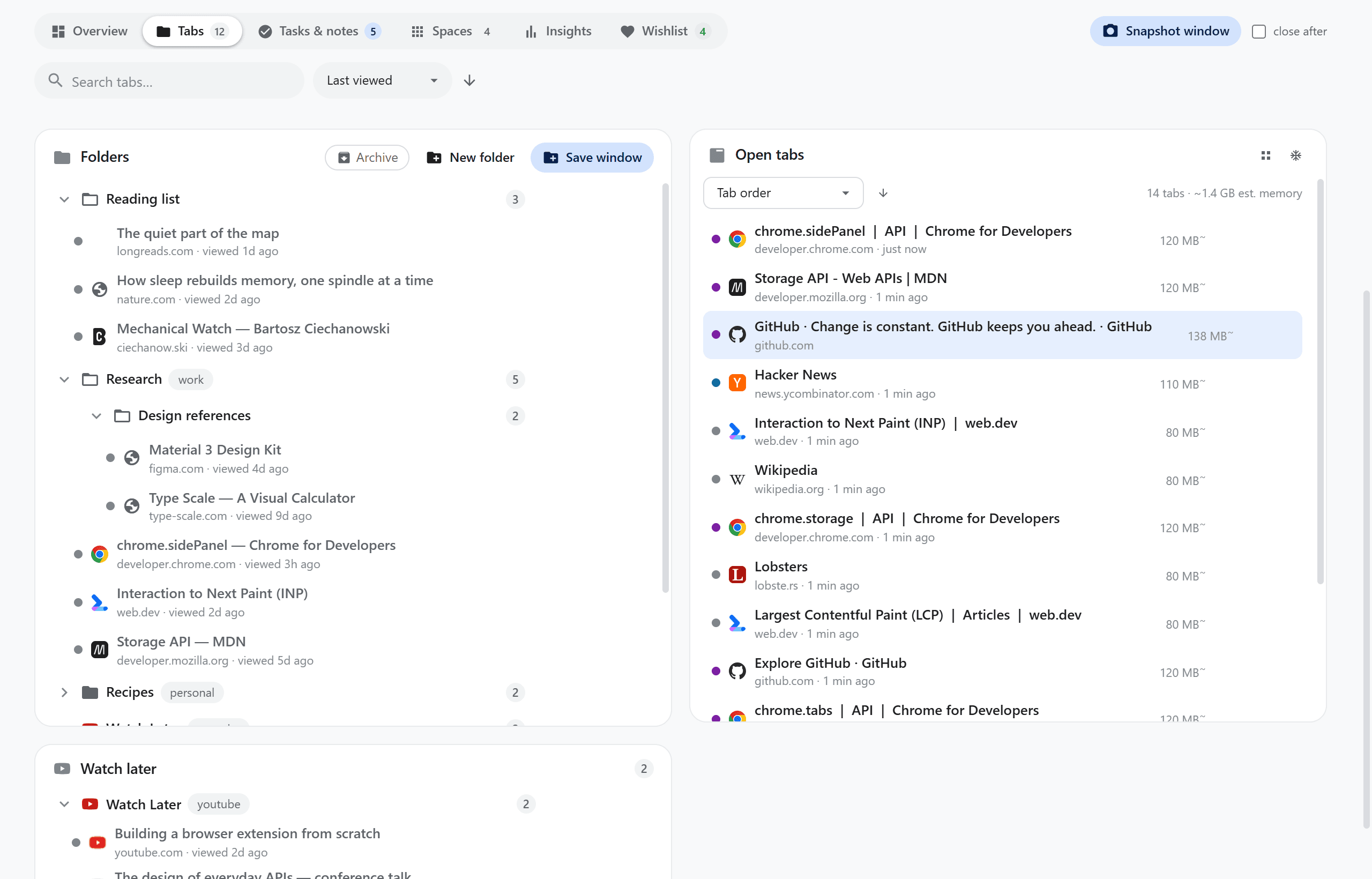
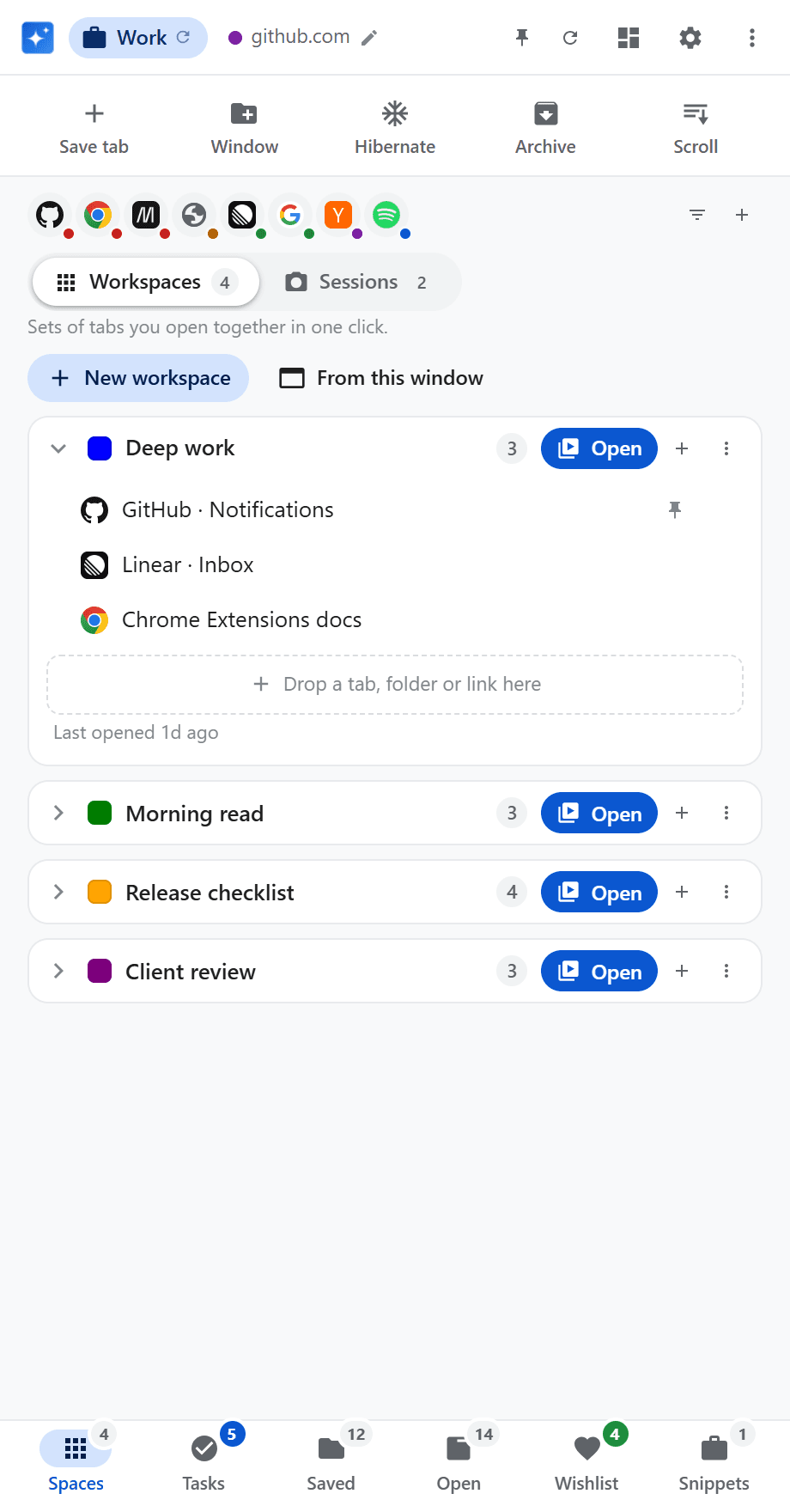
Workspaces
Named sets of tabs for a project, a client or a weekend. Build them from saved tabs, the current window or a dragged link, and mark tabs to open pinned.
Open the product – Workspaces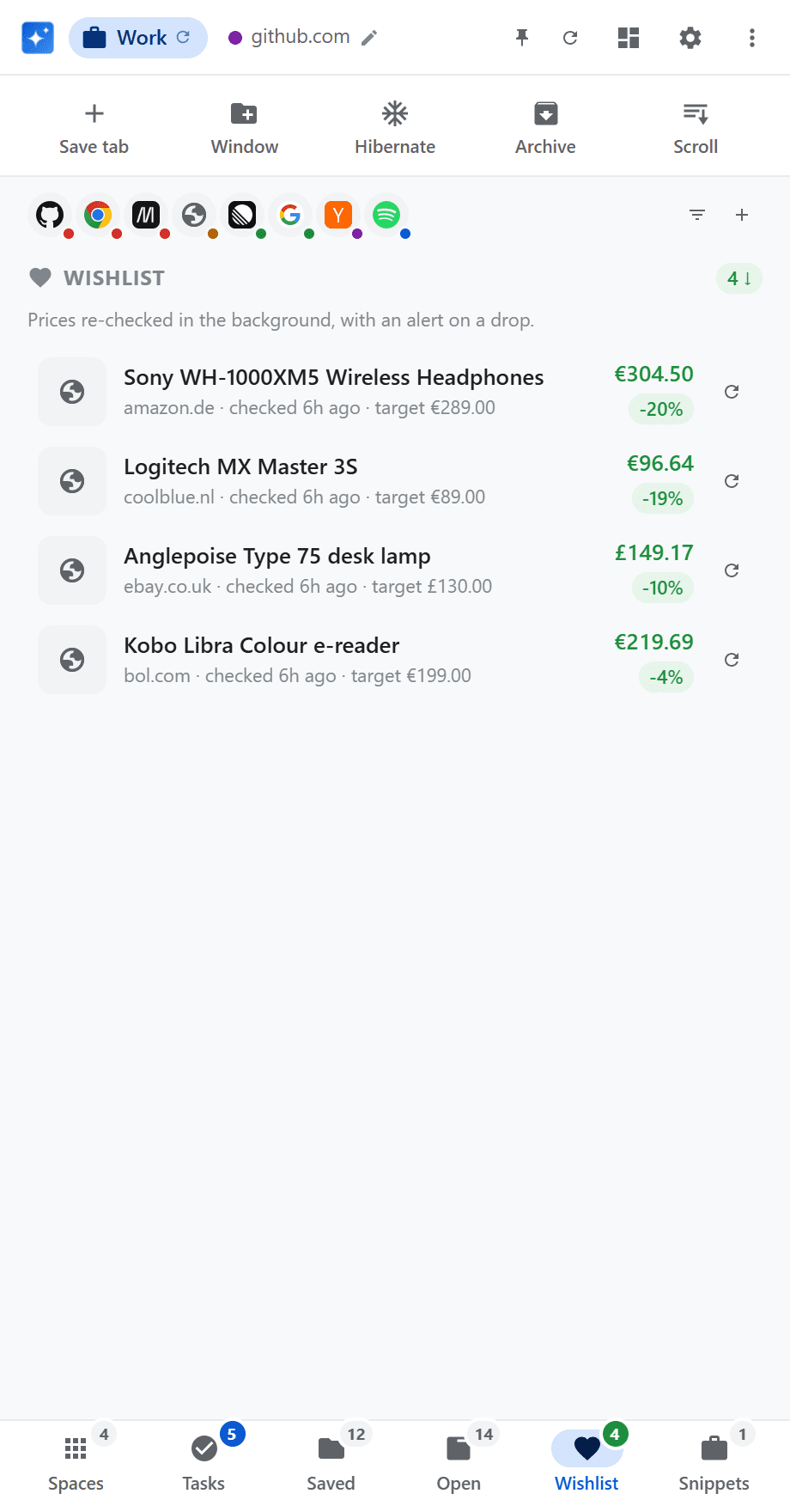
Price-drop wishlist
Save from Amazon, eBay, AliExpress, bol.com and Coolblue — or select a price on any page. A background checker notifies you on a drop or when you hit your target.
Open the product – Price-drop wishlistWeekly insights
Time per site, paused when you are idle or Chrome loses focus. A weekly chart coloured by category — work, shopping, entertainment, and the rest.
Open the product – Weekly insights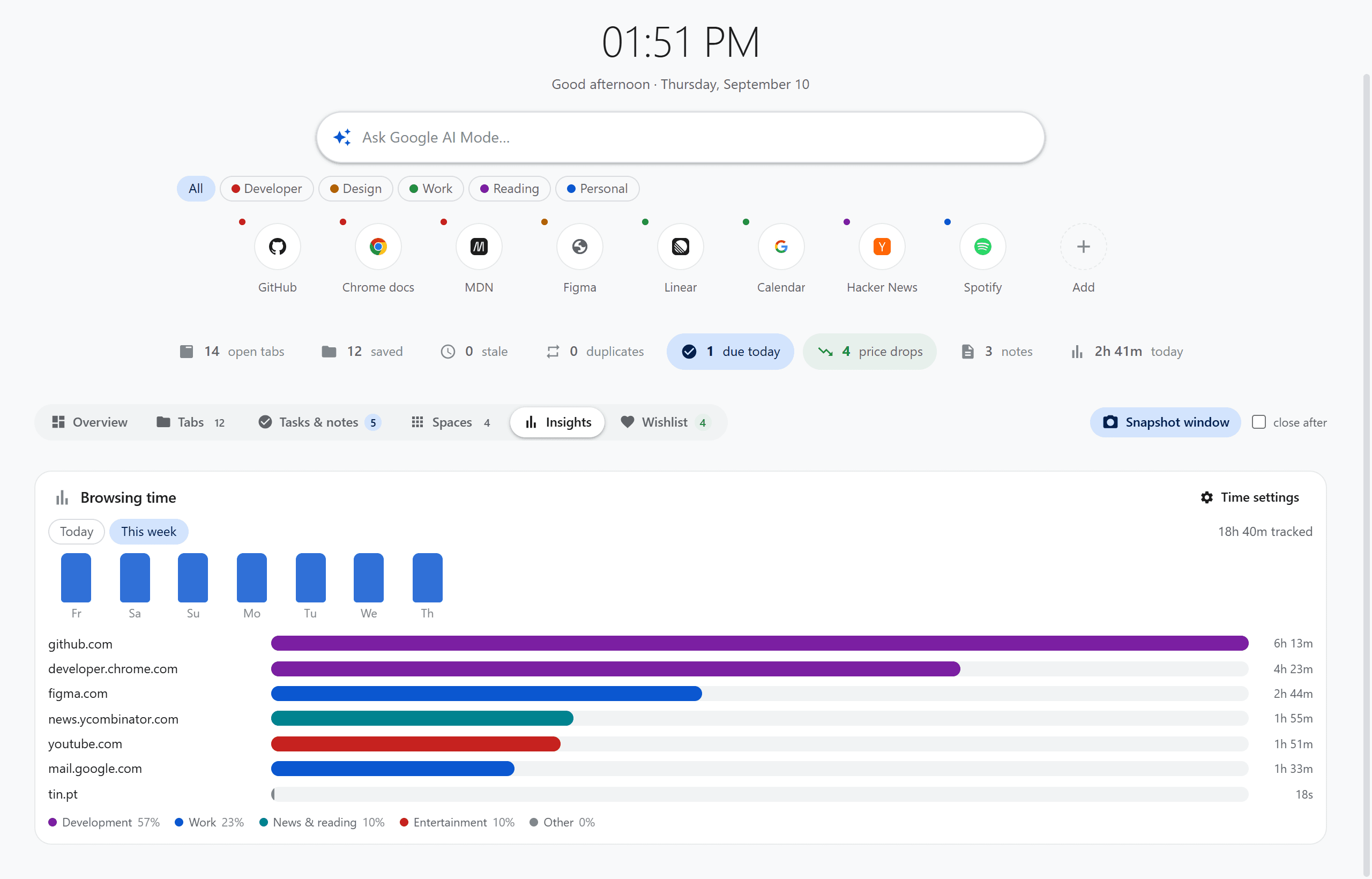
Page-aware tasks
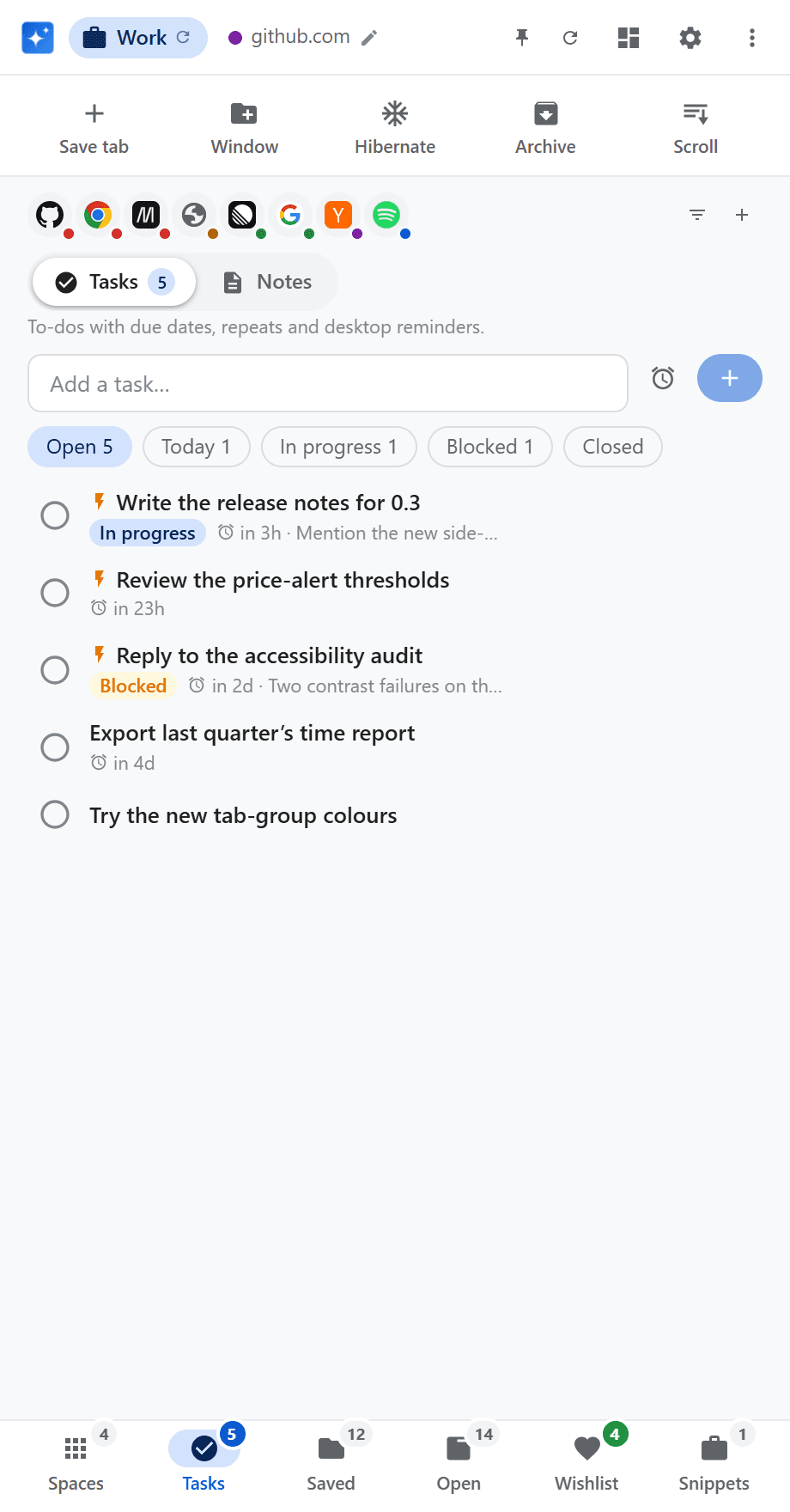
Due dates, repeats, statuses and desktop notifications with Done or Snooze. Completing a repeating task keeps that occurrence and creates the next one.
Open the product – Page-aware tasks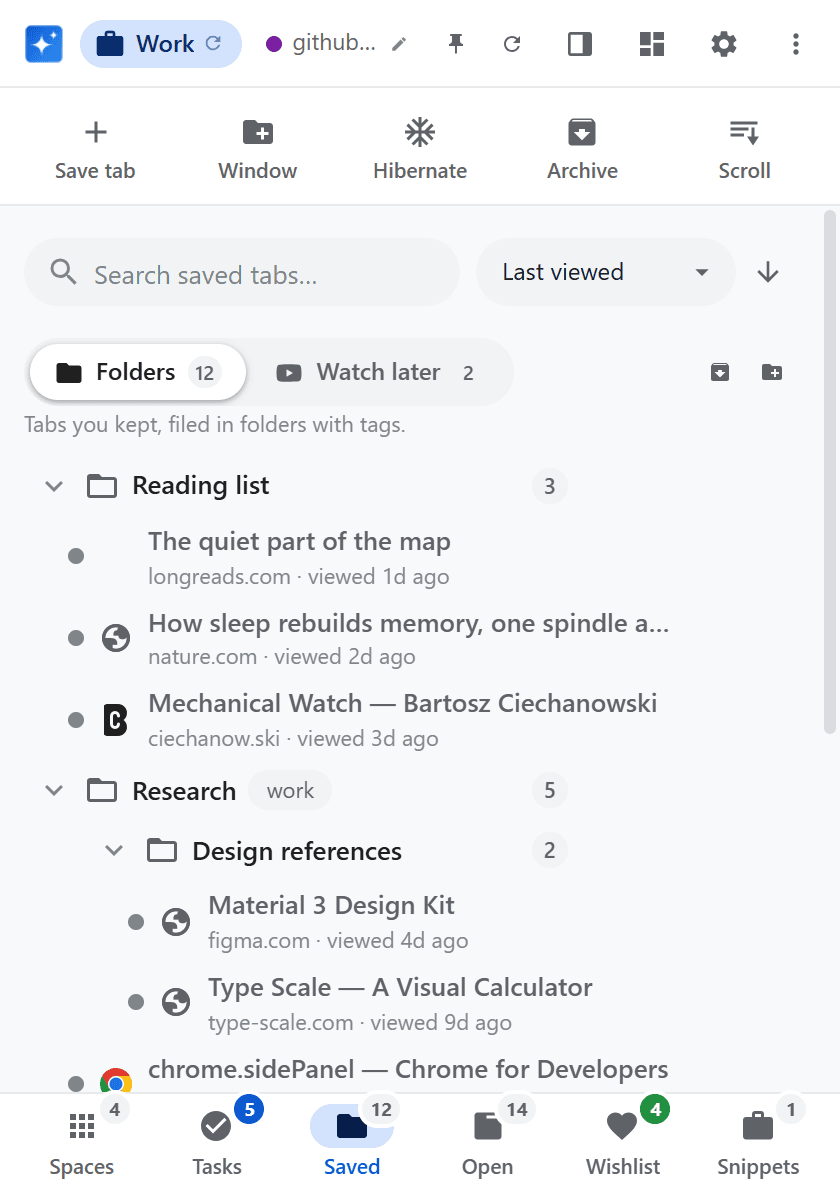
Local-first by design
Your data lives in a file on your computer. No cloud account, no sync, no analytics. Read the privacy note on the product site.
Open the product – Local-first by designThe real UI, not mockups
Captured from the extension with staged demo data. Nothing personal appears in any of them.
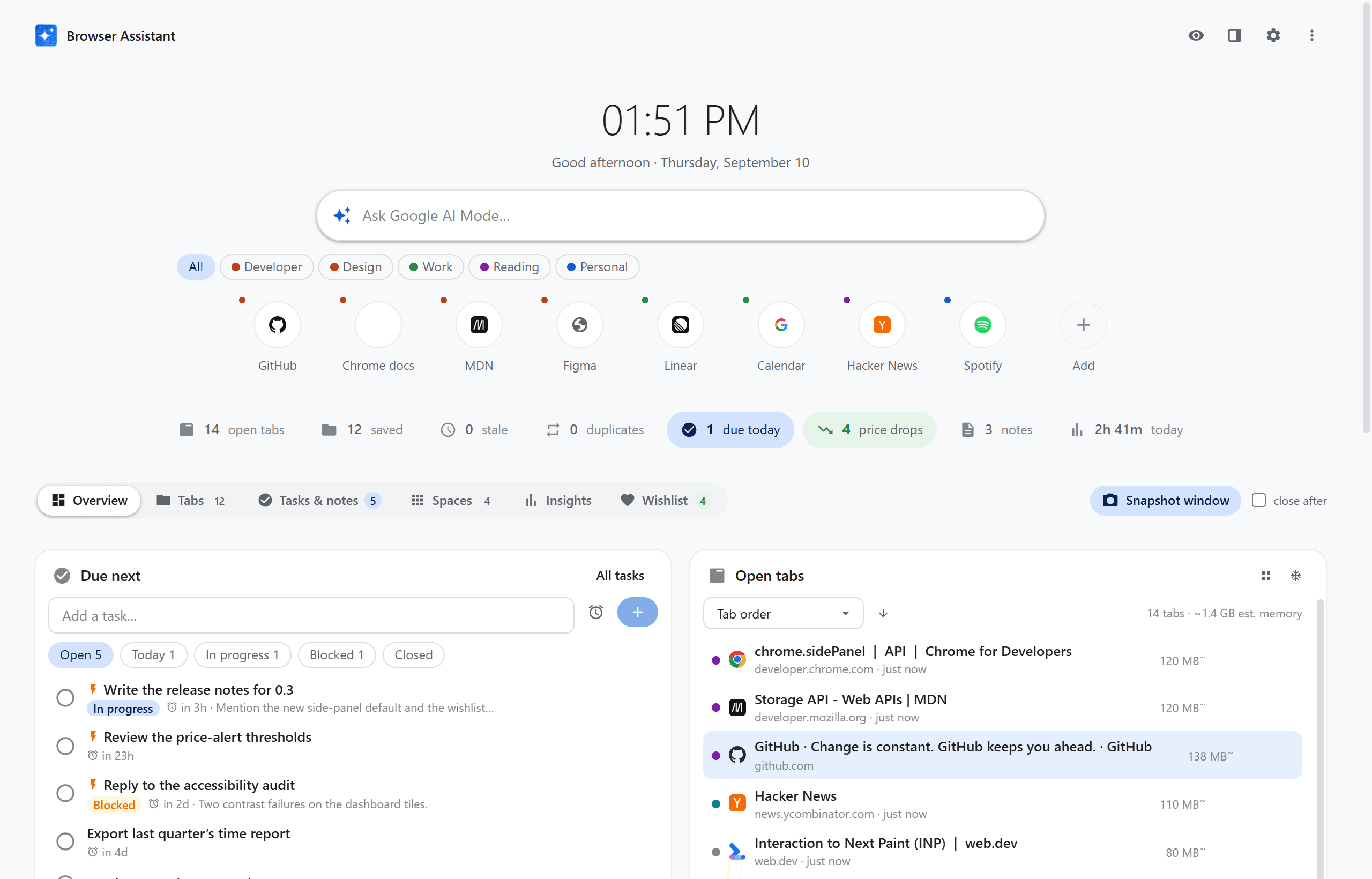
Dashboard
Clock, AI search, quick links, a status strip, and the Overview digest.
Tabs view
Folders and Watch Later beside the live open-tab list.
Insights
Weekly browsing time per site, coloured by category.
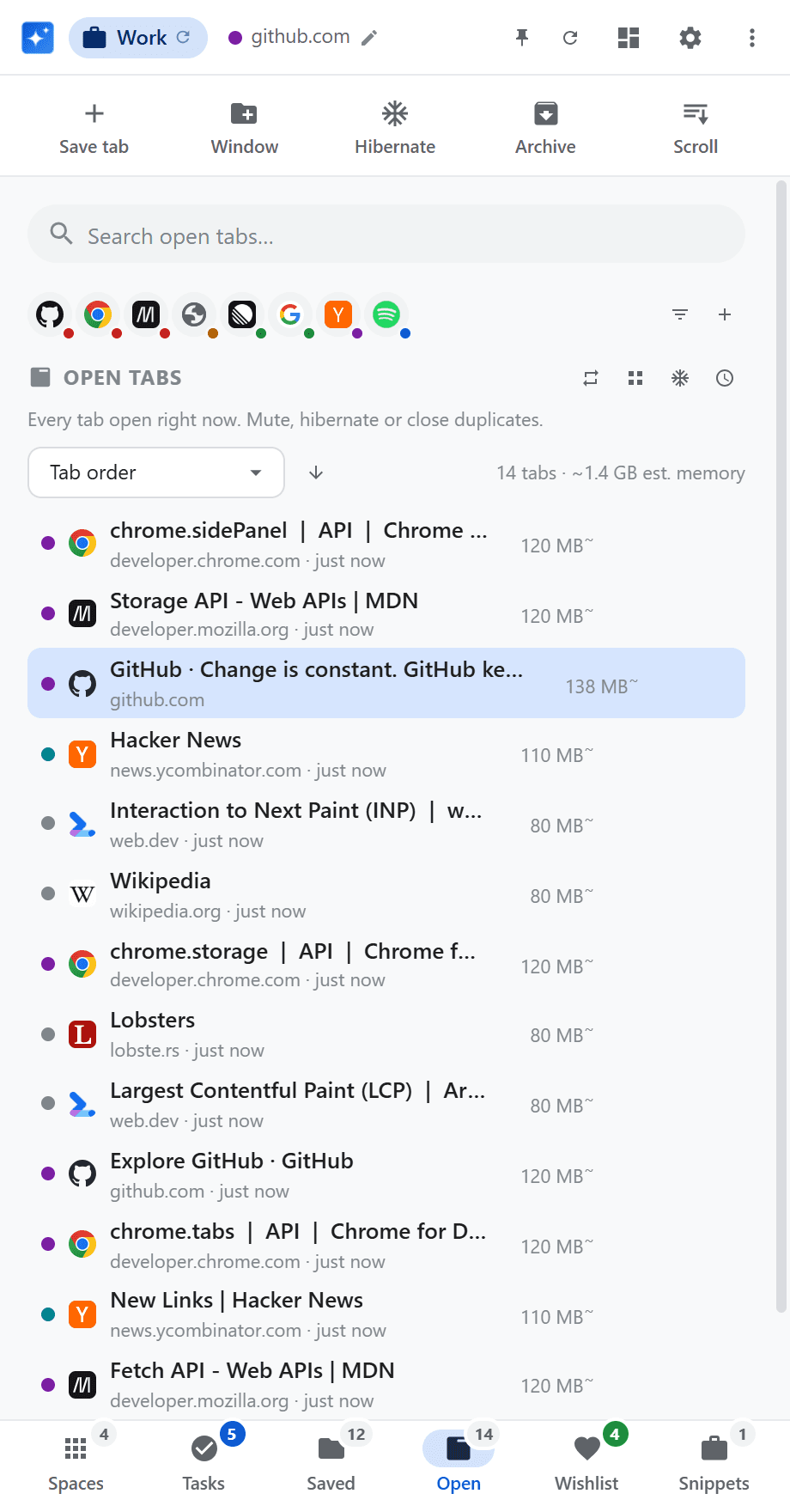
Open tabs
Idle age, estimated memory, mute, and hibernate.
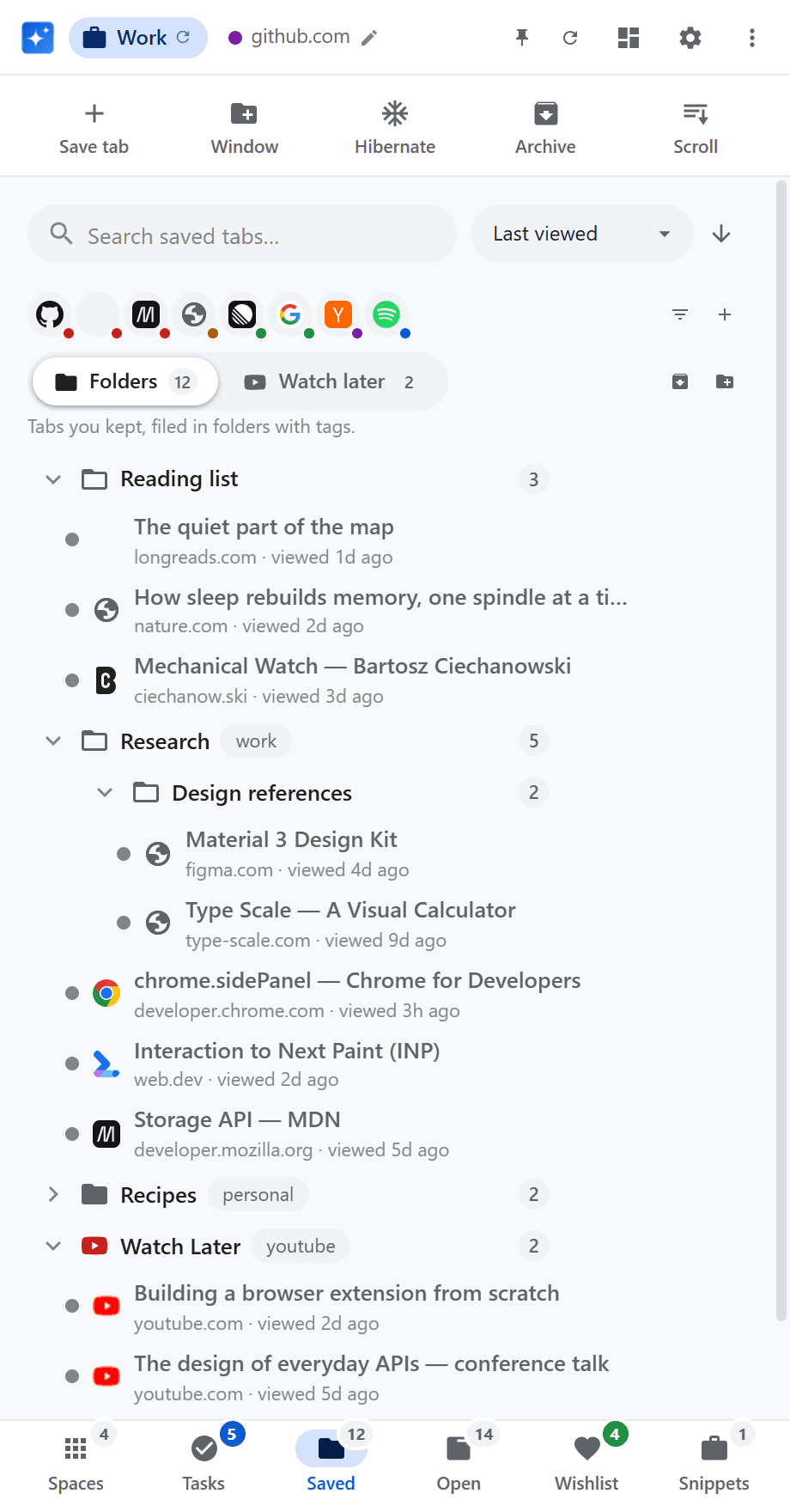
Tab folders
Nested, tagged, searchable folders you can drop links onto.
Workspaces
Named sets of tabs, opened together in one click.
Wishlist
Background price checks, with an alert on a drop.
Tasks
Due dates, repeats, statuses, and desktop notifications.
Popup
The same app, if you prefer it to the side panel.
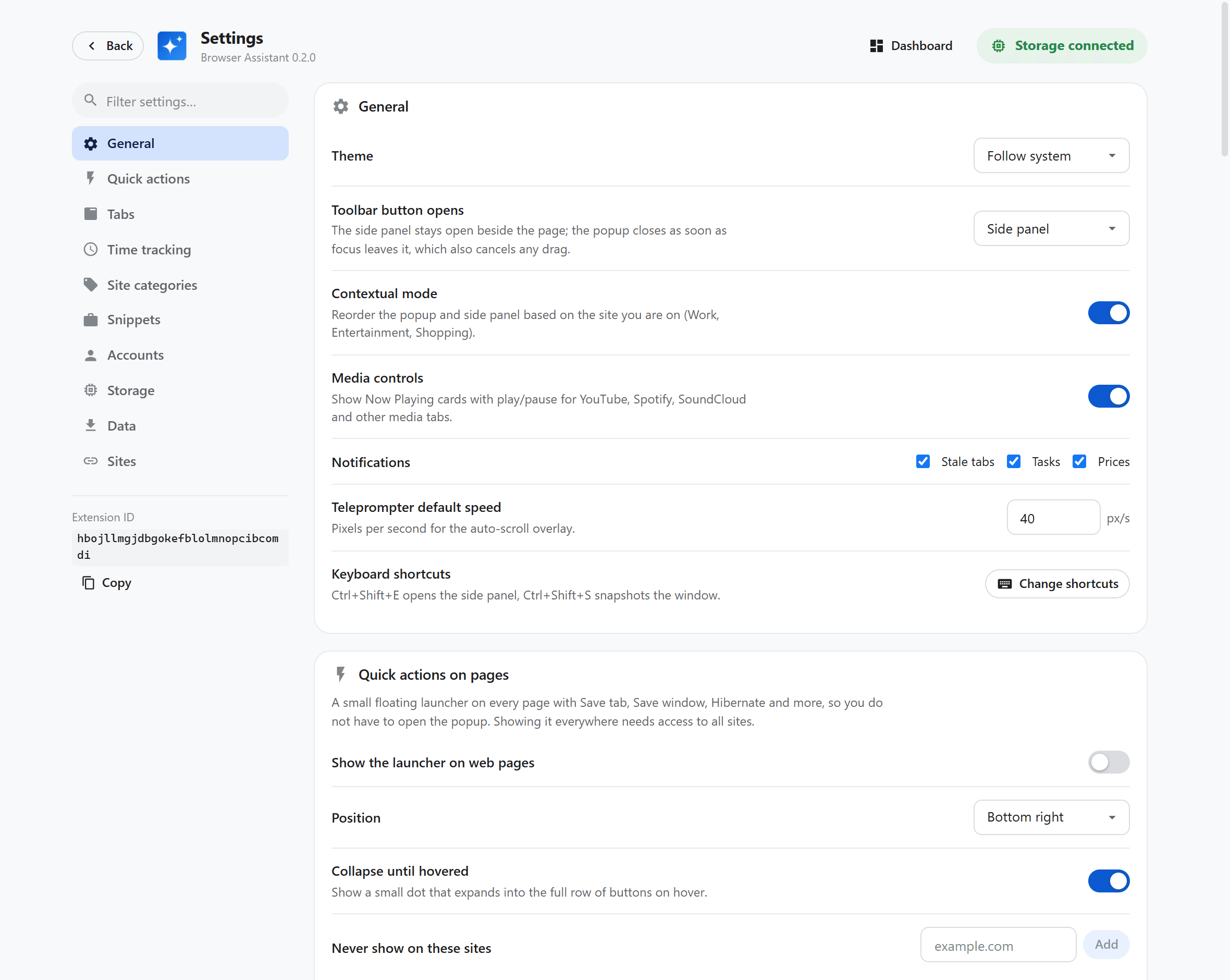
Settings
Side panel or popup, contextual mode, notifications, launcher.
Honest about its limits
It is a Chrome extension we use ourselves, not a platform that tries to be everything.
What it is
- A Chrome-native side panel, popup and new-tab command center
- Tabs, tasks, notes, workspaces, wishlists and weekly insights in one place
- Local-first: a file on your computer, no account and no analytics
- A side panel that stays open, so you can drag links into folders
- Built and maintained by the same studio that ships client products
What it is not
- Not a cloud workspace — there is no multi-device sync and no account
- Chrome only for now; it is not a Firefox or Safari extension
- Not a substitute for a full project-management suite
- The wishlist watches major shops plus any selected price, not every store's API
- Not on the Chrome Web Store yet — install it from the product site
Browser Assistant by Lusivision
Opens browser-assistant.lusivision.com — free, no account required.
Questions before you install it
Is it free?
Yes. Browser Assistant is free to use, with no account and no usage tier. We built it for our own machines and publishing it costs us very little.
Where is my data stored?
On your computer. A small Node native-messaging host writes JSON to Documents/BrowserAssistant/data.json. Chrome extensions cannot write files themselves, which is why the host exists. Nothing leaves the machine except the product pages you asked the wishlist to check.
Do I need an account?
No. There is no sign-up, no cloud sync and no analytics. If that is a problem — you want the same folders on a second computer — this is not the product; we would rather say that than pretend a sync we do not run.
Is it on the Chrome Web Store?
Not yet. The product site is the place to get it today. When it lands on the Store we will say so there and here.
Can Lusivision build a similar extension for us?
Yes — that is our day job. Browser extensions, native messaging, local-first products and the web apps they sit beside are the kind of work we take on. If you have a workflow that does not fit an off-the-shelf tool, send it over.
Like this, but for your operation
The services behind a product like this.
Web Development
Web development for businesses: marketing sites, conversion pages, client portals and public web applications — fast, accessible and built for search from the start.
Custom Software
We build custom software around how your business actually works: web applications, business platforms, system integrations and process automation. Discovery, delivery and long-term maintenance.
Software for SMEs
Software for small and medium businesses: replacing spreadsheets and manual processes with management systems, automation and AI, sized to an SME's budget and timeline.
More on this from our blog
Where we go deeper on the web, privacy and the products we ship.
WebMCP: Making Your Website Agent-Ready in 2026
Google's new WebMCP standard lets AI agents call your site's functions directly instead of scraping the page. Here is what it is and how to adopt it without a rebuild.
Website Redesign Without Losing SEO (or Traffic)
A redesign should win you more customers, not cost you the traffic you already have. Here is how to rebuild a site without the ranking collapse that sinks most projects.
How Much Does It Cost to Build a Marketplace in 2026?
A two-sided marketplace costs far more than a normal web app, and the reason is rarely the code. Here are the real 2026 price ranges and where the money goes.
How Much Does It Cost to Build a Web App in 2026?
A grounded 2026 price guide for building a web app, from a simple MVP to a full platform, what really moves the number, and where budgets get wasted.
Need software that lives where your team already works?
Browser Assistant is one answer for Chrome. If your team needs the same idea in a client portal, a desktop companion or a custom extension, that is the work we do every week.